Instructions for Email Blasts to Your Customers
These instructions are mainly for companies that have email service providers (ESPs). If you need help, please let us know. Contact Diana Opiela, email diana@scrapbookexpo.com or phone 630-430-9271.
To get started you’ll need:
• a URL of your logo approximately 556px wide by 131px tall
• your email editor open and ready to paste HTML code into it
Instructions
1. Click on the show listed below. Open the text document.
2. Download the file and then open the file in Notepad (or another simple text editor, not Microsoft Word!)
2. Using the “find” option, search for “https://maropost.s3.amazonaws.com/uploads/account_599/60295/logo.jpg”
2. Replace everything inside the quotation marks with the URL of your logo.
3. Copy all the HTML and paste it into your email editor.
4. Save and test the email. Check all the links and you should be ready for a send.
5. Make sure to add diana@scrapbookexpo.com to the distribution list so we can add your points if the send is 30 days prior to a show.
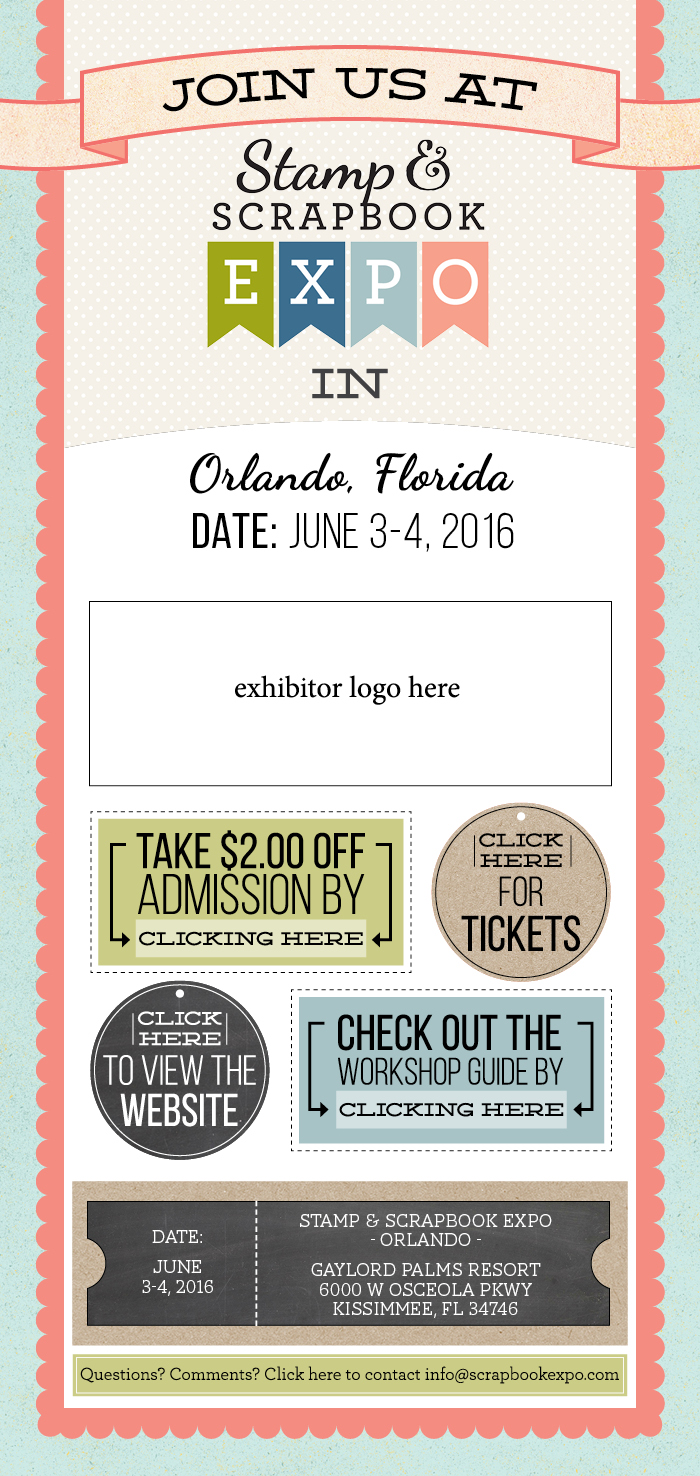
The final message should look like this:
Trouble-shooting
Problem: My logo is stretched, or looks strange
Solution #1: Resize your logo and try again
Solution #2: Change the width and height in the code to match the size of your logo. Replace “556” with the width of your logo and replace “131” with the height of your logo (be sure to keep the quotation marks)
Click on the show below to get the code
Chantilly HTML
Puyallup HTML
The final email should look like this when you are done: